How to sign into onedrive for Windows
Step 1
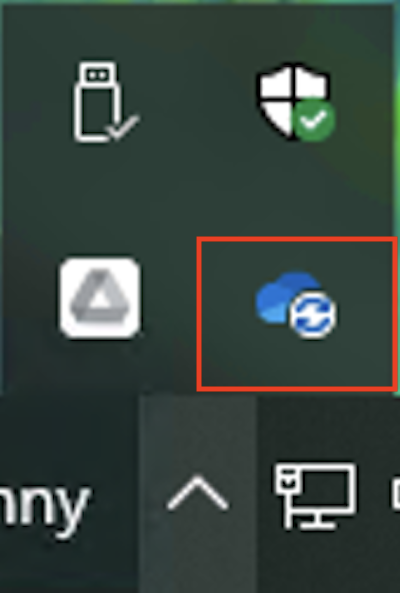
Click on the tray icon and click the OneDrive icon.
Step 2
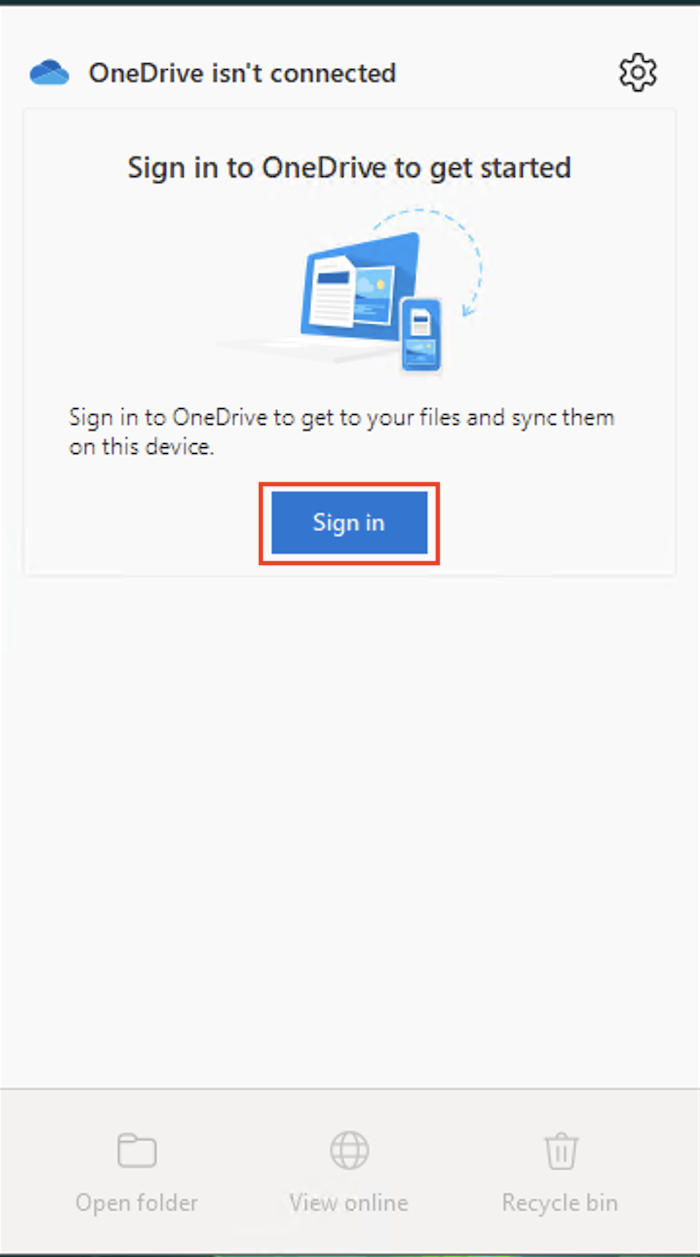
Then click Sign in.
Step 3
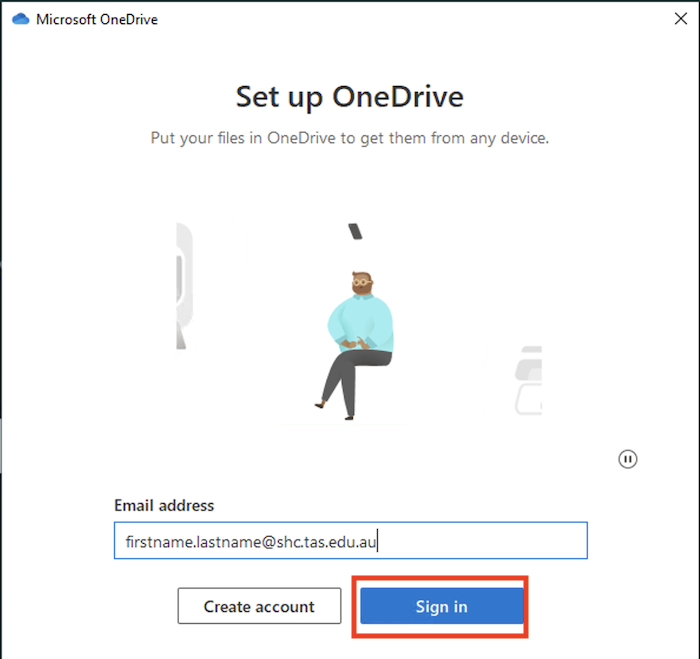
Type in your School email address and click Sign in.
Step 4
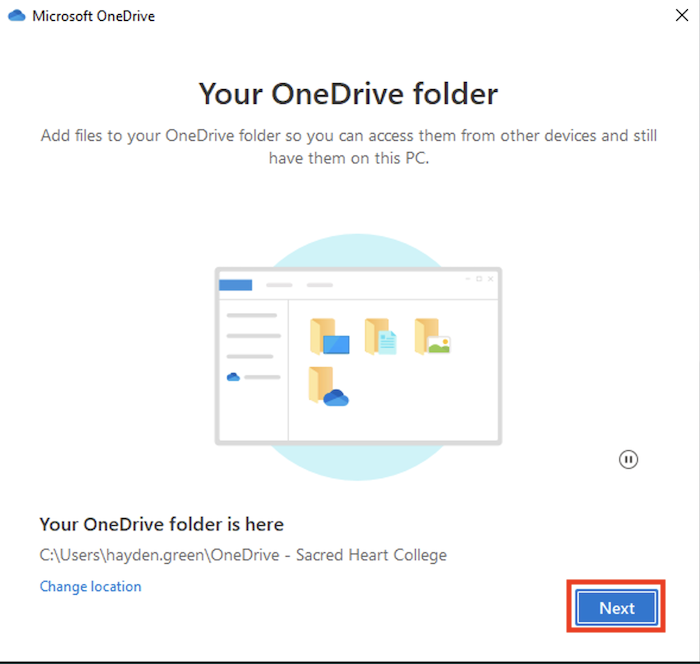
Click Next.
Step 5
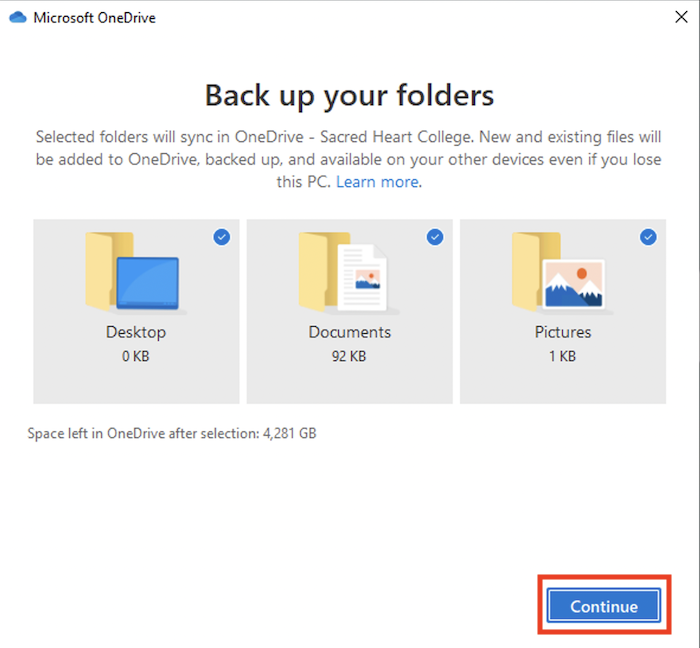
Click Continue to all following prompts.
Step 6
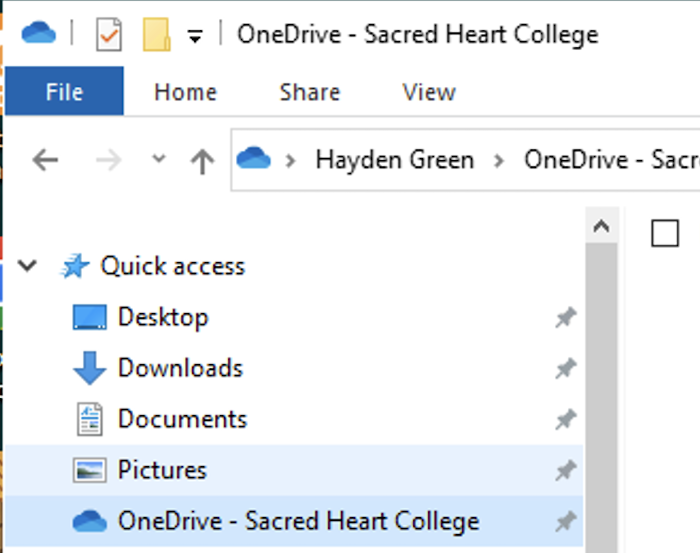
OneDrive will then be accessible on the side menu of File Explorer